

Breaking changes
v1 AUD batch payouts must use one method per request
Create a Payout (POST /v1/payouts) and Create Payout Batch via File now require every transaction in a request to use the same addressing method.
- Send
payid(withpayid_type) on every transaction, orbsbandaccount_numberon every transaction. - A request or file that mixes the two is rejected.
- A single transaction still cannot carry both
payidandbsb/account_number.
Opt-in: payout approvals change what a successful Create Payout means
When payout approvals are enabled for your merchant account, the request and response of Create a Payout are unchanged, but the payout is held rather than processed. Nothing is sent to the recipient until an Admin or Finance user approves it in the Merchant Portal.
- A
2xxresponse no longer implies funds are moving. Drive your state machine from the payout webhook, not the create response. - A payout can end in Rejected without ever being processed. Treat this as a terminal business outcome, not a request error.
- The feature is off by default and enabled per merchant account by Hello Clever Support. It applies to payouts created through the API and the Merchant Portal alike.
Merchant Portal
USD Treasury Accounts
You can open a USD Treasury Account from the Treasury All Balances screen, alongside AUD. Unlike AUD, a USD account goes through review before Hello Clever issues bank details.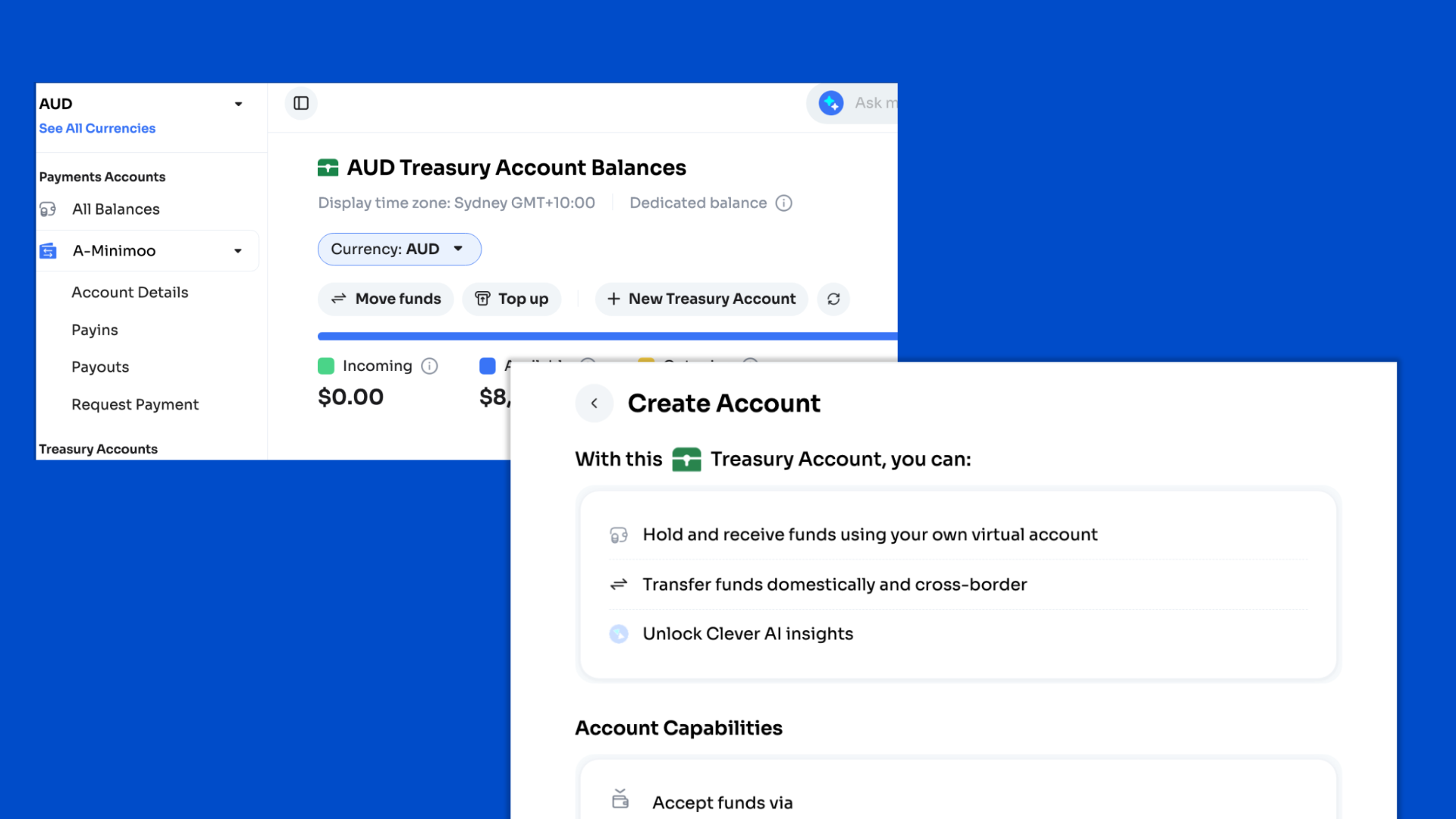
Each resubmission creates a new submission record. Earlier submissions are retained.
Transfers out of an active USD Treasury Account:
- Internal: to your other Hello Clever accounts, for example a USD Payments Account.
- External: to bank accounts in the United States only. Non-US destinations are not yet supported.
po_1tjreKKucrcM). In sandbox, drive it to a final state with POST /v2/transfers/simulate, passing that ID as uuid and status as completed or failed.
Docs: Treasury Accounts · Transfer flow
Settlement Management for JPY and USD
Settlement Management now supports JPY and USD Payments Accounts, in addition to AUD. Each currency is configured independently.- Frequency: End of day settles automatically once a day in your account’s time zone. On-demand settles only when you request it. A manual request is available on either schedule.
- Beneficiary Settlement Account: an external bank account or, where supported, one of your Treasury Accounts in the same currency. There is no cross-currency settlement.
- Beneficiary changes apply to future settlements only. In-flight settlements keep their original destination.
Docs: Settlement · Settlement Service
Settlement funding checks for JPY, VND, IDR, and INR
Settlements in JPY, VND, IDR, and INR now pass an internal funding check before they execute, because these currencies are funded through more than one banking partner.- The settlement stays in Processing for the duration of the check. No new status is introduced and no action is required.
- The amount moves from available to outgoing balance at submission, as for any settlement.
- The settlement remains a single record in your balance history, however it is funded.
- AUD settlements are never held for this check.
Payout approvals
Payout approvals add a maker-checker step between creating a payout and processing it.- Who can decide: Admin and Finance users only. The creator of a portal payout cannot approve it. API-created payouts can be decided by any Admin or Finance user.
- Concurrency: the first decision wins. A concurrent second decision is refused and does not change the outcome.
- Notification: the account Admin is emailed, with all Finance users copied. The email contains Payout ID, Balance ID, External ID, method, and a Review Payout link that requires portal authentication.
- Audit: creator, outcome, decider, timestamp, and optional rejection reason are stored with the payout.
API
PayID payouts on v2 (au_payid_npp_aud)
The v2 Payout API can now pay out AUD to an email or phone PayID over the New Payments Platform (NPP). Get Payout Methods for AUD now returns au_bank_aud and au_payid_npp_aud.
Minimum amount is 1 AUD.
POST /v2/payouts
The v2 field names are
pay_id and pay_id_type with uppercase enum values. The v1 AUD Payout API uses payid and payid_type with lowercase values. Do not mix them.UGX bank transfer (ug_bank_ugx)
Accept Payins and send payouts in Ugandan shillings through the v2 API using ug_bank_ugx. Amount limits for both directions are 15,000 to 36,000,000 UGX.
payin_method_params validation depends on user_type:
Payouts take the same
user_type rules (without first_name and last_name) plus these mandatory fields:
account_numberandaccount_namebank_code: from thebankslist returned by Get Payout Required Fields, for exampleDFCUUGKApayment_reason: one ofother,bills,groceries,travel,health,entertainment,housing,school-fees
Reporting
Reporting API: GET /v2/reports/settlements
The new Reporting API exposes the settlement reports previously delivered by email. The files and figures are unchanged. You pull them on your own schedule.
It authenticates with the same app-id and secret-key headers as the payment APIs, and returns reports for the currency tied to that app-id.
Each entry returns file metadata, a
summary object (settlement_count, settled_amount, settled_fee, closing_balance, closing_balance_at), and file_url.
file_urlis pre-signed and valid for 3 minutes. Fetch it with a plainGETand no auth headers, in the same run. Store the reportid, never the link. A link is minted per returned entry, so setsizeto what you will fetch.- Reports are generated at 09:00 in your account’s time zone. A daily report covers 09:00 to 09:00, not calendar days.
- Frequencies overlap. A settlement appears in both its daily and monthly report. Filter on
report_frequencyto avoid double posting. - Files are immutable. Use
Referenceto match bank statement deposits andBalance IDto trace a row through Get Balance History V2.
Payment Gateway
UGX bank transfer on Payment Gateway 3
Payment Gateway 3 now offers UGX bank transfer (ug_bank_ugx) to customers paying in Ugandan shillings, alongside NZD, HKD, MWK, TZS, and KHQR USD. Contact support@helloclever.co to enable it for your account.
Docs: Payment Gateway 3 · Multi-Currency hosted checkout