Connect Shopify Store
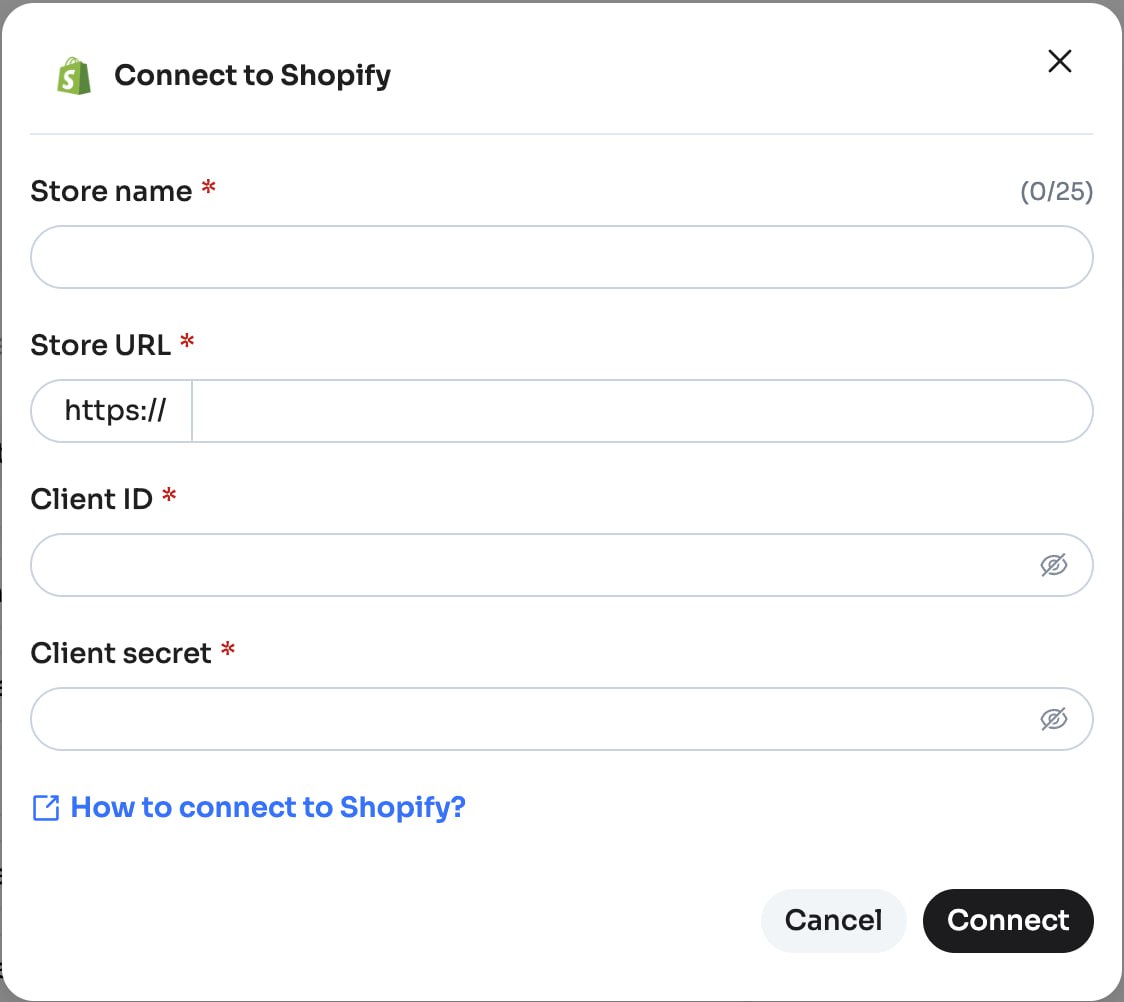
This guide explains how to connect your Shopify store to Hello Clever by creating (or using) a Shopify app and providing its API credentials.
What You’ll Need
Before starting, prepare the following information:
- Store Name
- Shopify Store Domain (e.g.
your-store-name.myshopify.com) - Client ID
- Client Secret
Step 1: Open Shopify Connector in Hello Clever
- Log in to the Hello Clever Merchant Dashboard
- Go to Clever AI → Data Connector
- Select Shopify
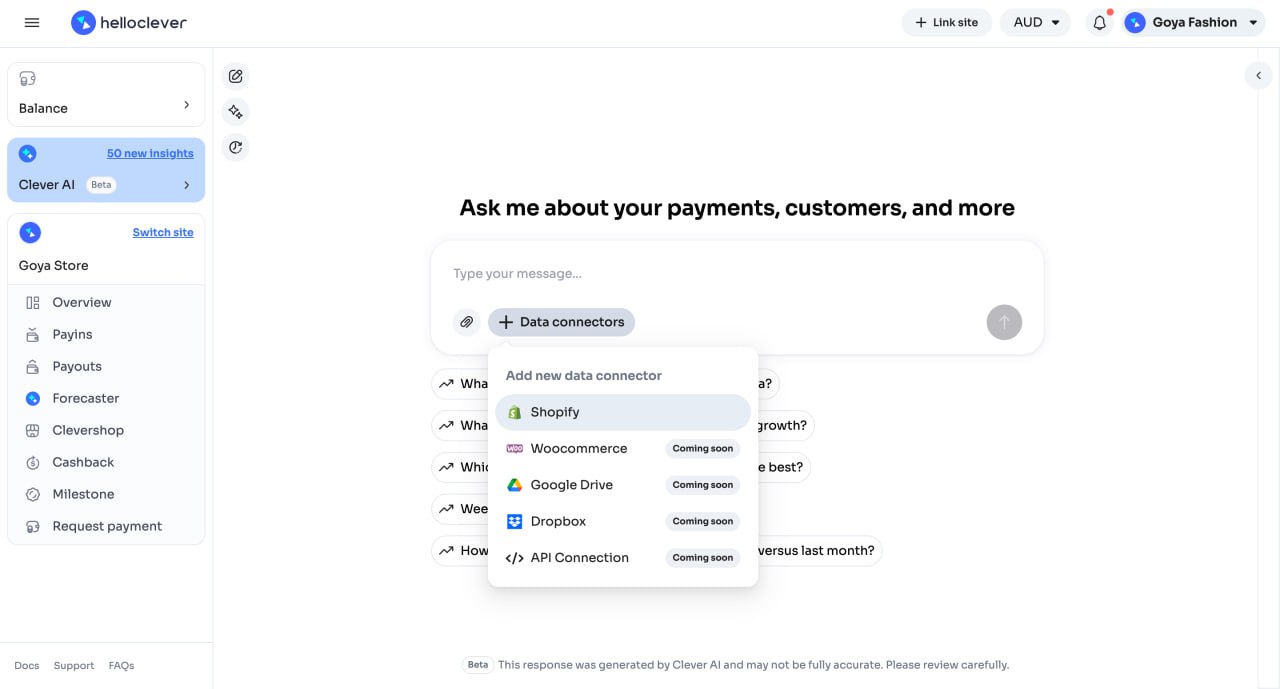
You’ll see a connection form where the credentials will be entered later.
Step 2: Log in to Shopify Admin
- Open Shopify Admin
👉 https://admin.shopify.com - Select the store you want to connect
Step 3: Open Shopify App Settings
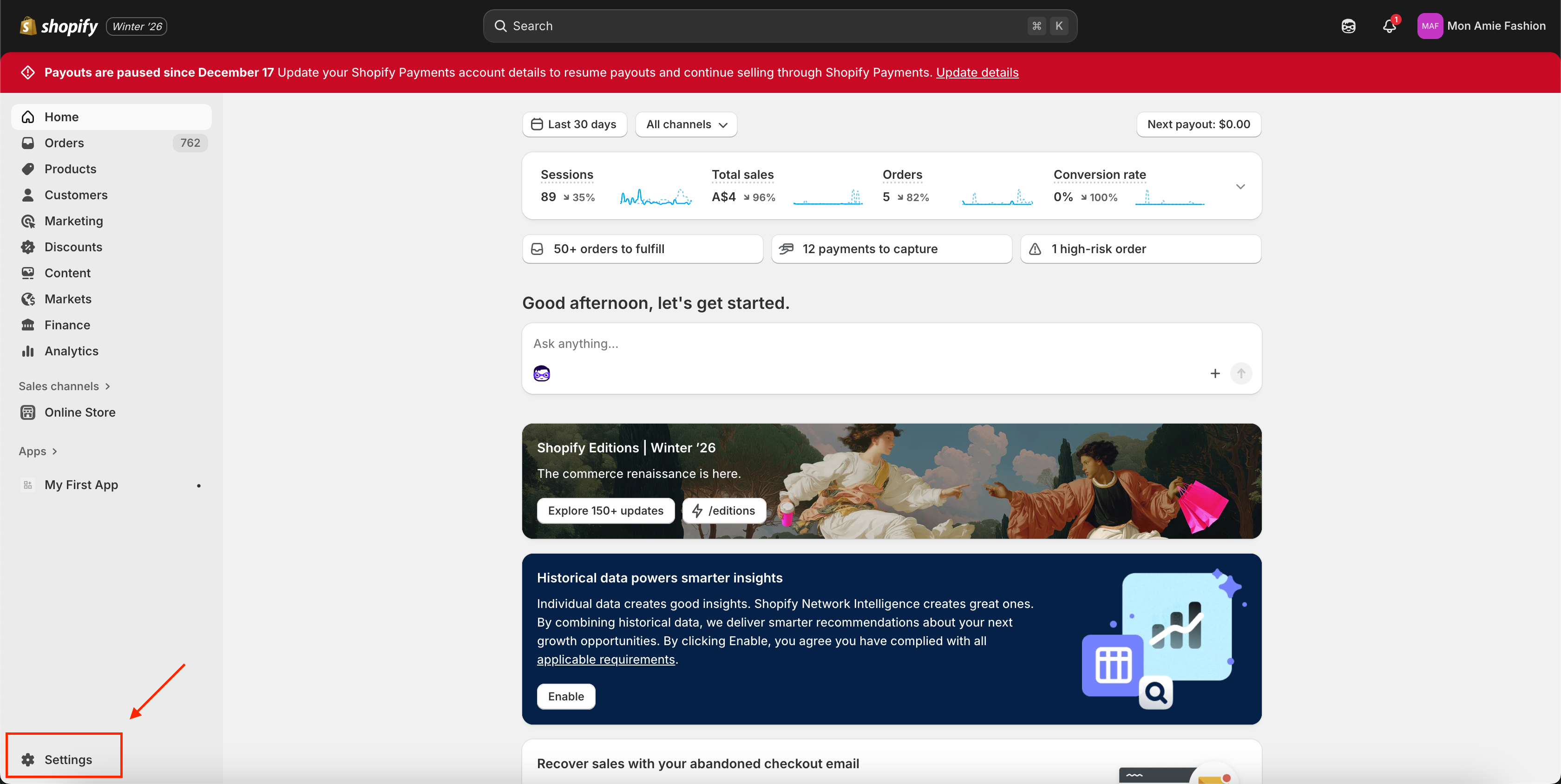
- In Shopify Admin, go to Settings
- Go to Apps and click Develop apps -> Build apps in Dev Dashboard
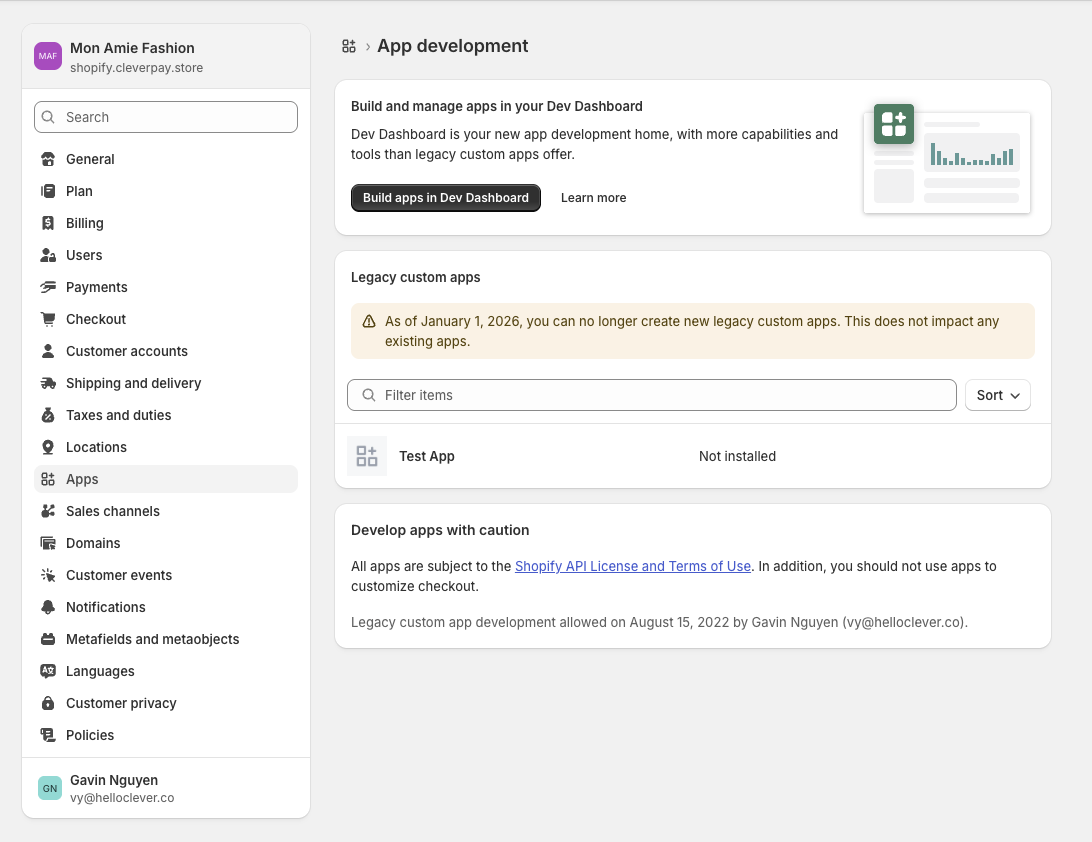
If this is your first time, Shopify may ask you to enable app development.
You will be redirected to the Shopify Developer Dashboard.
Step 4: Create or Select a Shopify App
You can either use an existing app or create a new one.
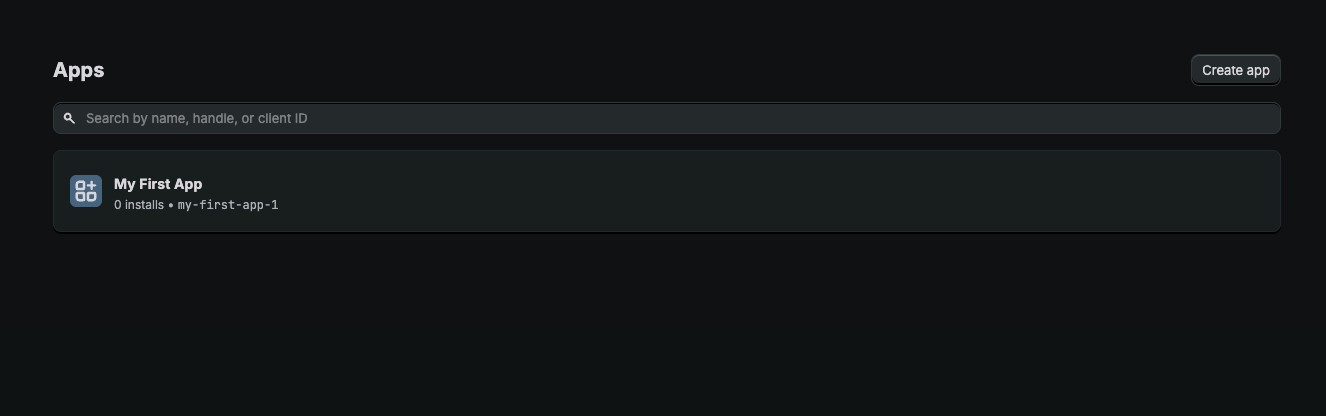
Option A: Use an Existing App
- Select an app from the app list
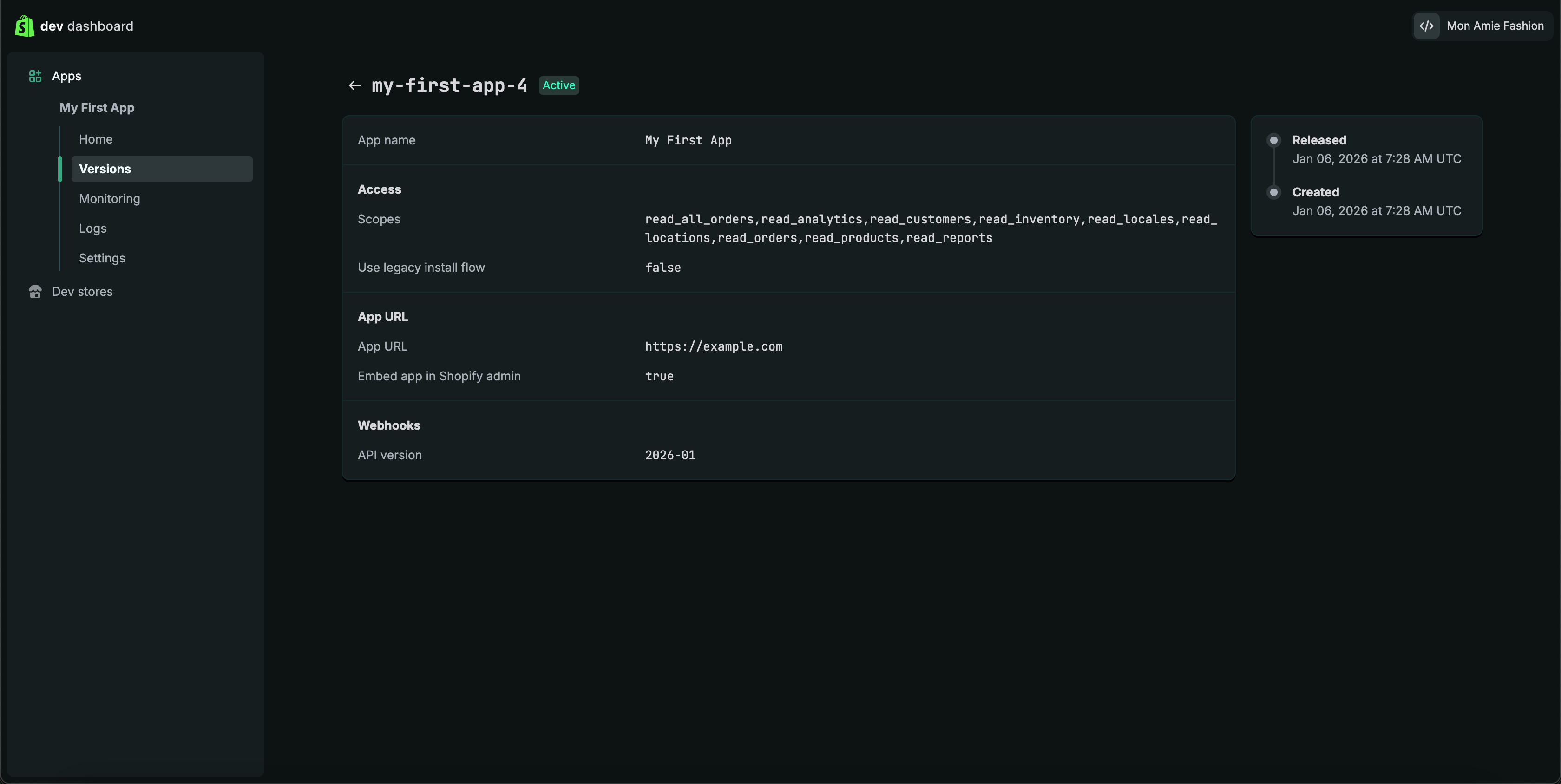
- Go to Versions
- Check the latest version’s Admin API access scopes
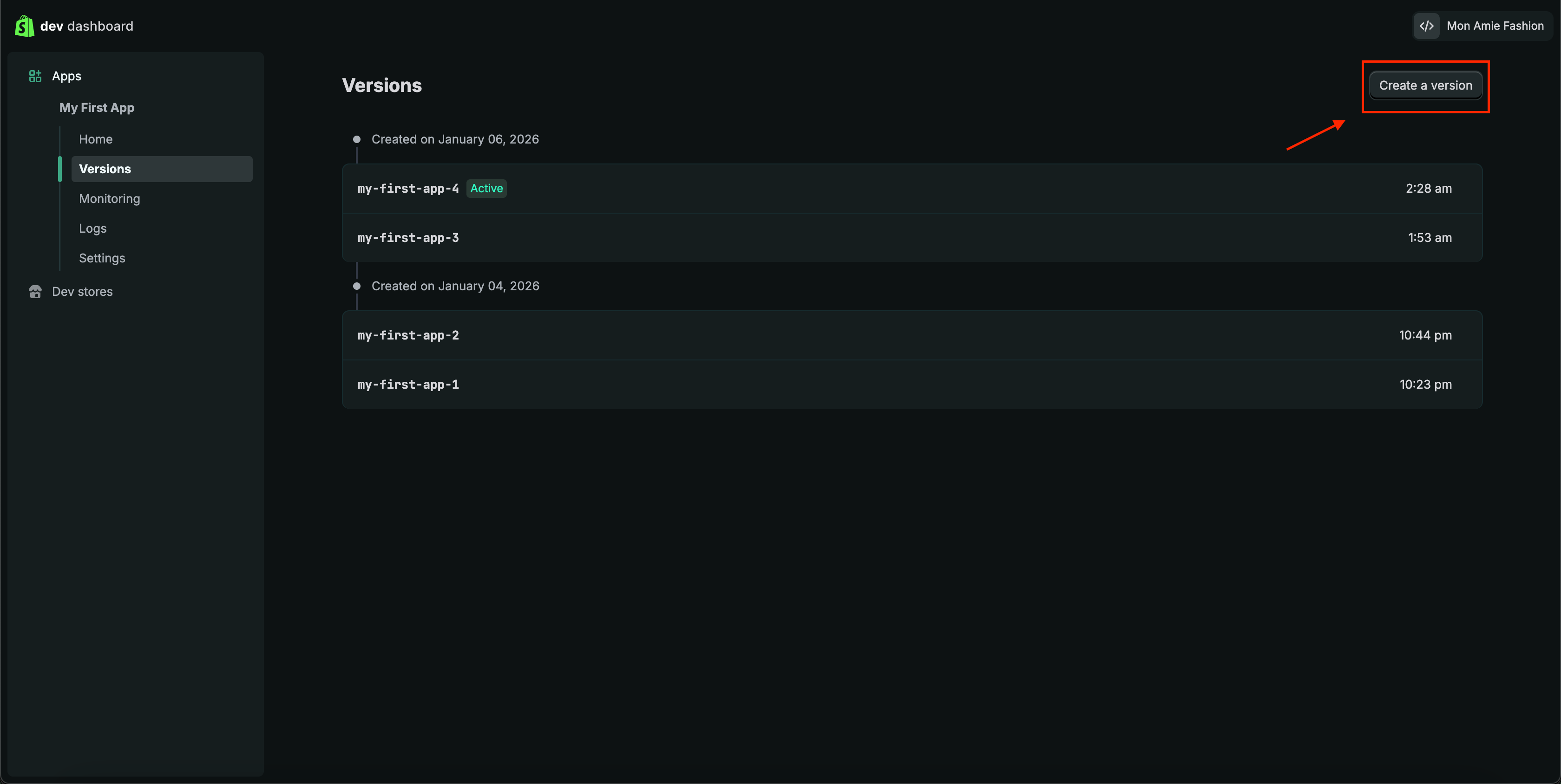
If you need to change scopes:
- Click Create a version
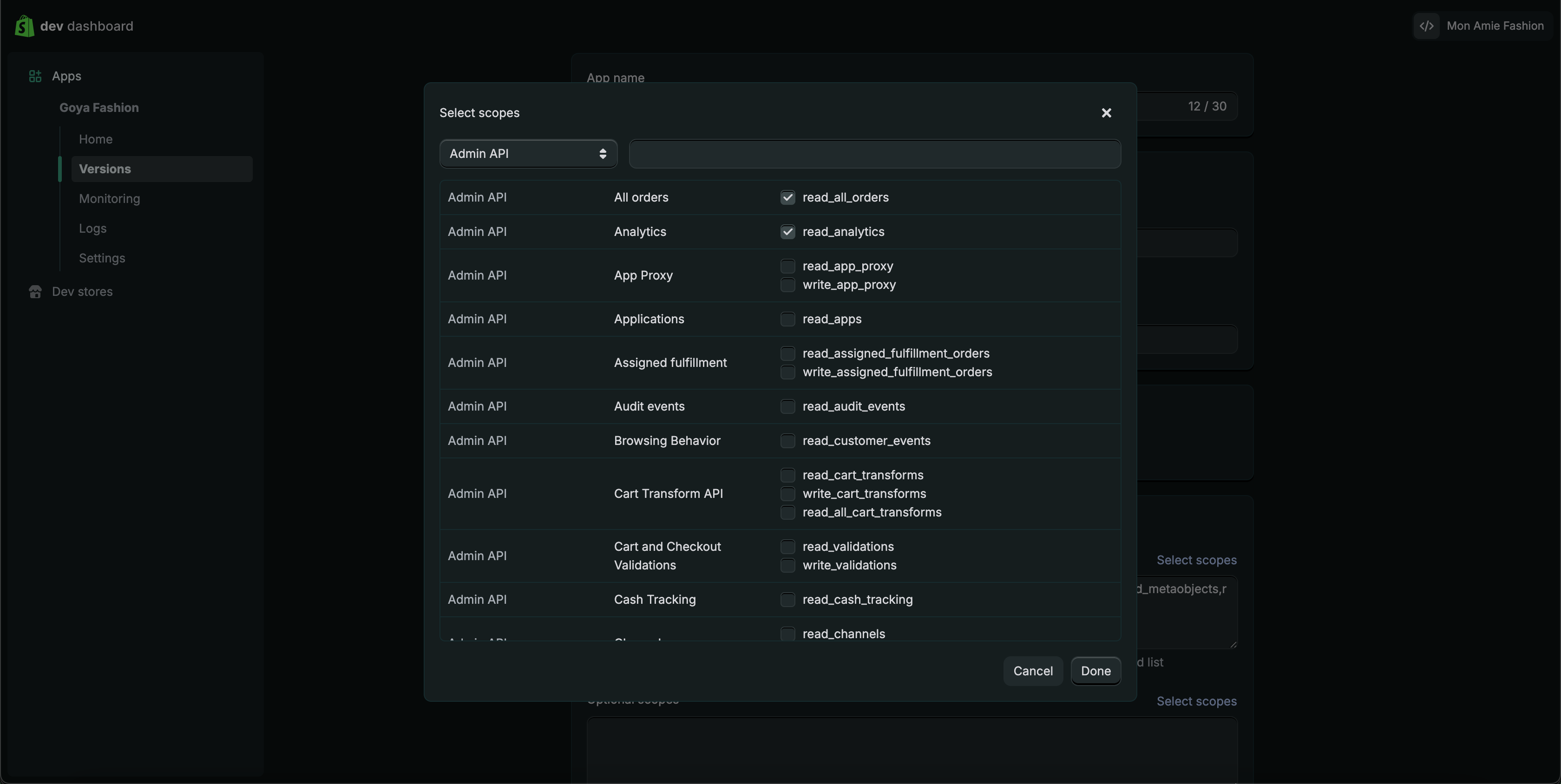
- Select scopes
- Release the new version
Scope changes require app reinstallation.
Option B: Create a New App
- Click Create app
- Enter an app name
- Select the required Admin API access scopes
- Finish creating the app
Step 5: Install the App
- Open the app dashboard
- Click Install app
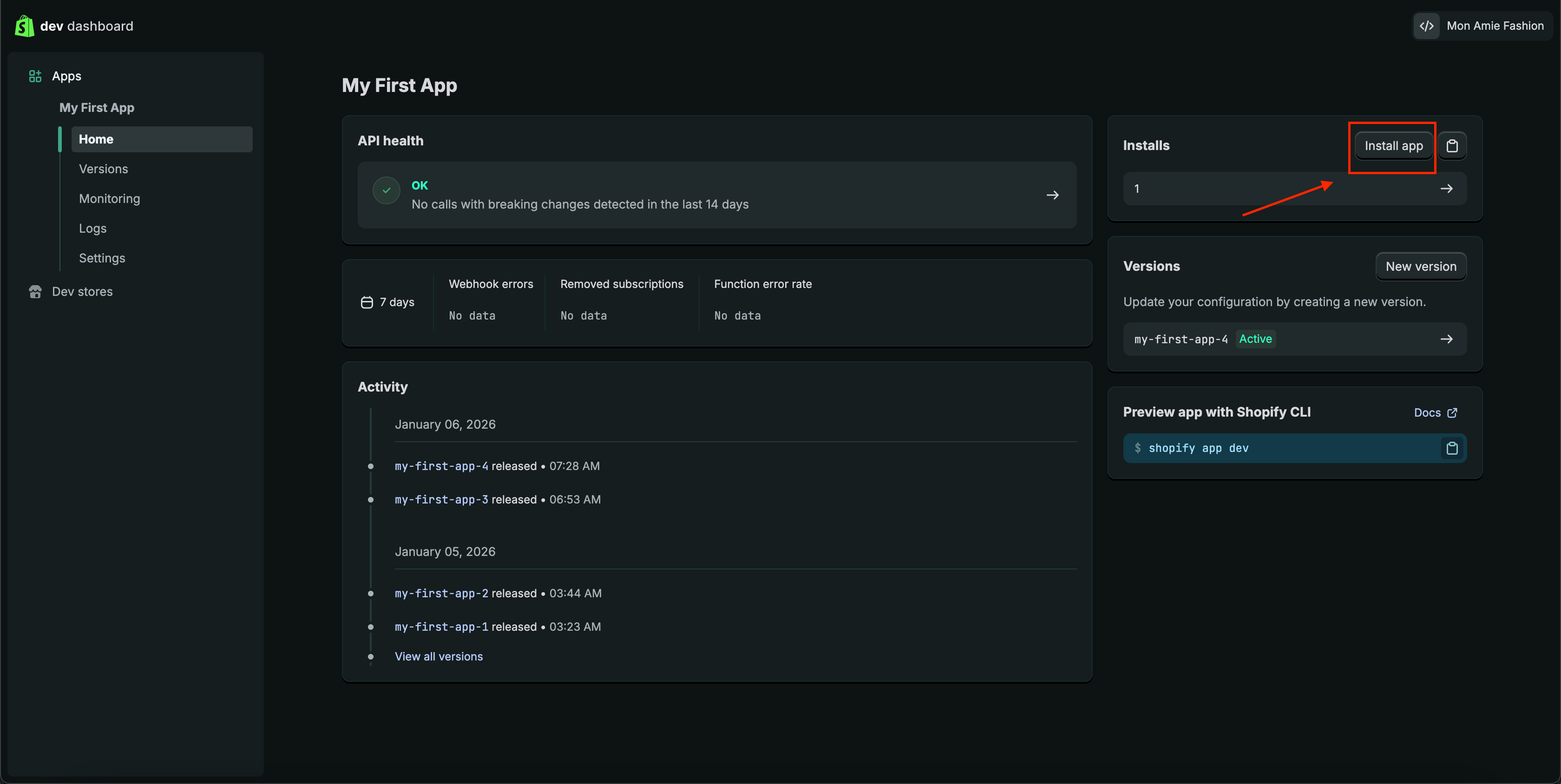
- Confirm installation for your store
Step 6: Get Shopify API Credentials
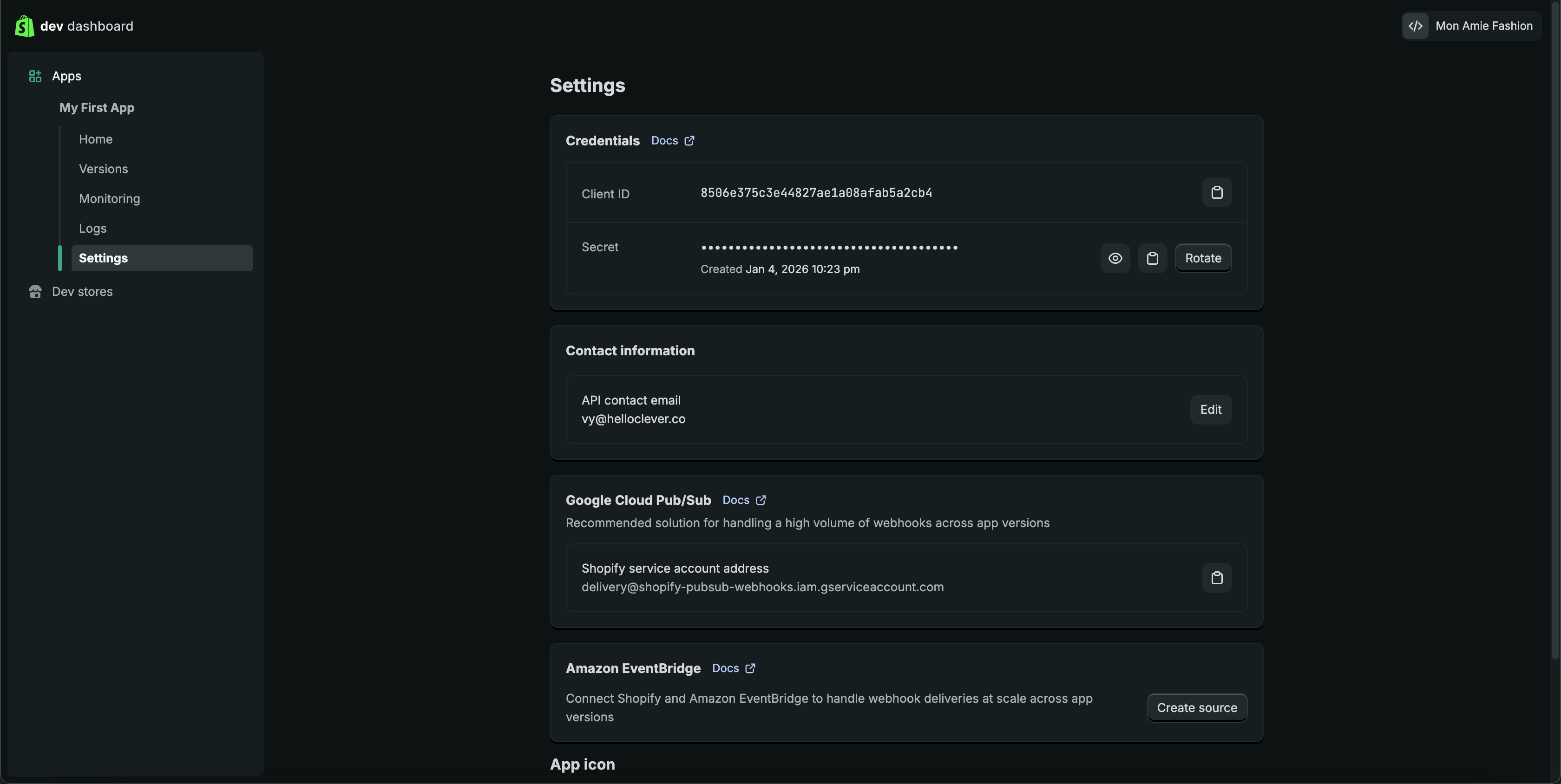
6.1 Client ID & Client Secret
- In the app dashboard, open Settings
- Copy:
- Client ID
- Client Secret
6.2 Shopify Store Domain
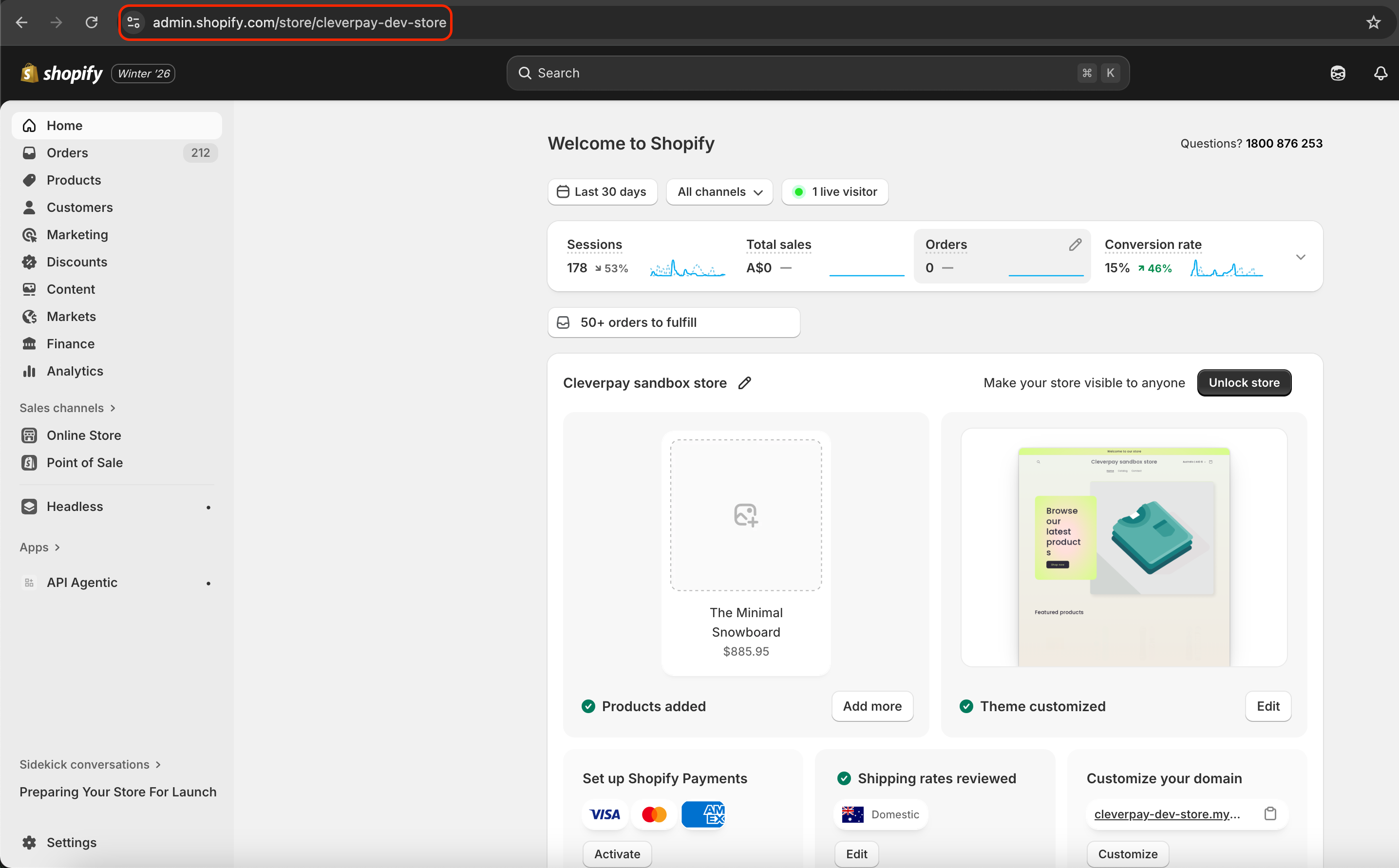
- Open Shopify Admin
👉 https://admin.shopify.com - Check the URL in your browser:
https://admin.shopify.com/store/YOUR-STORE-NAME - Your store domain is:
your-store-name.myshopify.com
Step 7: Connect Shopify to Hello Clever
- Return to the Hello Clever – Shopify Connector
- Enter:
- Store Name
- Store URL (
your-store-name.myshopify.com) - Client ID
- Client Secret
- Click Connect
✅ Your Shopify store is now connected. Start asking Clever AI to read and analyze your store data.
Required Shopify API Scopes
Enable the following Admin API read scopes:
| Scope | Purpose |
|---|---|
read_products | Access products and variants |
read_orders | Access order data |
read_customers | Access customer information |
read_inventory | Access inventory levels |
read_locations | Access store locations |
Common Issues
Any change to API scopes requires the app to be reinstalled.
Missing scopes may cause incomplete or failed data sync.
Ensure Client ID and Client Secret are copied exactly from the app settings.
Shopify will deny API access if the app is not installed.